Dropshare for Android is now in Public Beta
August 10th, 2026
Dropshare is on Android. The app is available today as an open beta on Google Play, and anyone can join, no invite needed. It does what the Mac and iOS apps have always done: upload a file to storage you already own, and put the link on your clipboard.
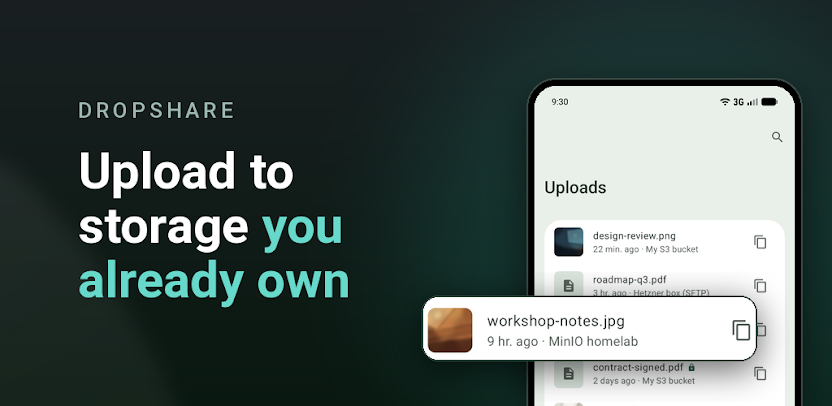
There is no Dropshare account to create, no Dropshare server in the middle, and no storage quota to buy. The bucket, the server and the domain stay yours. Share a file from any app on your device, or pick one inside Dropshare, choose where it goes, and paste the link wherever you were going.
Your storage, your rules
You add connections, and a connection is simply a place you control. The beta supports the providers you would expect from Dropshare:
- Object storage: Amazon S3, Backblaze B2, DigitalOcean Spaces, DreamObjects, Filebase, Google Cloud Storage, iDrive e2, Linode Object Storage, Microsoft Azure Blob Storage, MinIO, OpenStack Swift, Rackspace Cloud Files, Scaleway Object Storage, or any other service that speaks the S3 API
- File storage: Dropbox, Google Drive, Microsoft OneDrive, Box, pCloud, Nextcloud, Koofr, kDrive, Zoho WorkDrive, Horizon
- Image storage: Imgur, Flickr, ImgBB, Lensdump, vgy.me
- Protocols: SFTP, SCP over SSH, FTP and FTPS, WebDAV
Credentials are encrypted with a key held in the device keystore, and they are never sent anywhere except the service they belong to. If you already use Dropshare on the Mac, export a connection as a .dsconn file, open it on your phone, and the form arrives filled in.
More than a bare file link
Landing pages publish a small page that previews the image or video and offers a download, instead of a raw file URL. Fifteen templates are included with a live preview, or you can import your own HTML.
Client-side encryption encrypts the file on your device before it is uploaded. The key travels in the part of the link after the "#", which browsers never send to a server, so the recipient just opens the link and the decryption happens in their browser. Anyone with the whole link can open it, so treat the link itself as the secret.
Short links run through dsh.re, Bitly, Short.io, Rebrandly or Dub, and you can point Dropshare at any shortener API of your own. Access-restricted links put a password and an expiry in front of an uploaded file. And filenames are on your terms: keep the original name, add a random or timestamp suffix, replace it entirely with random characters, or use two dictionary words.
Built for the way Android shares
Dropshare registers as a share-sheet target, so you can send a file, a photo or some text to it from anywhere on the device. Home-screen shortcuts cover uploading a file, a photo, the most recent picture, or copying the last link again. Uploads run in the background and survive leaving the app, with a notification that tracks progress and hands you the link when it lands.
Every upload is recorded on the device with a thumbnail, destination, size and link. You can search that history, copy a link again, re-share it, open it in a browser, or delete the file from the remote storage.
What the Android app does not do, yet
There is no sync. Upload history and connections live on that device only; nothing is copied to another device or to us, and uninstalling loses them. And, as always, Dropshare is not a file host. It stores nothing for you, and it is a client for storage you have already arranged.
This is a public beta, and the feedback we get now shapes the 1.0. If something is broken, missing or simply awkward, please let us know.